For many years, Satechi has been known for accessories that pair especially well with Mac and other Apple products. Its keyboards are no exception. The range includes classic wired and wireless keyboards, modern multi-device models, mechanical options, and a foldable keyboard made to travel with you.
So the best choice is less about which keyboard is best and more about how you work. Do you need a numeric keypad, or would you rather free up desk space? Do you prefer a quiet, low-profile keyboard, or the more defined feel of mechanical keys? Will the keyboard always sit next to your Mac, or do you want to switch between a computer, iPad, and other devices?
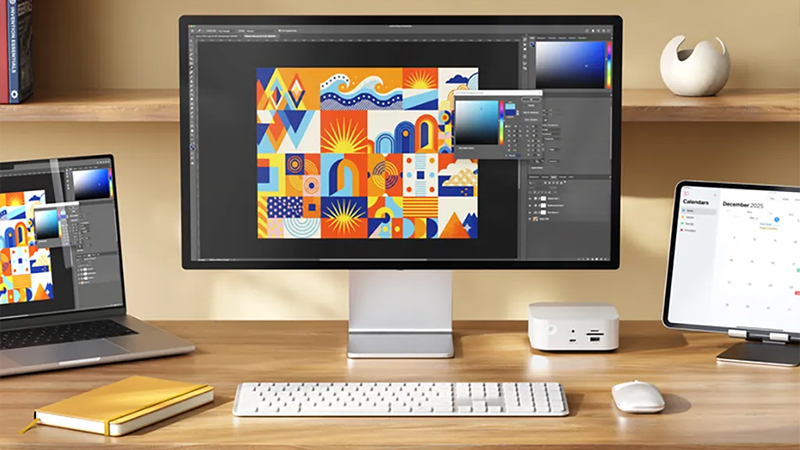
There is another detail worth keeping an eye on: the layout. Several of Satechi’s keyboards are available in both Nordic and US layout versions. The Nordic layout is the natural choice for most people who write a lot in Swedish, since you get Å, Ä and Ö where you expect them. The US layout can, however, be appealing for programming, for example, or for anyone who simply prefers the international key placement.
Bluetooth or cable — which is best?
One of the first questions is whether you need a wireless keyboard at all. Bluetooth gives you a cleaner desk and makes it easier to use the same keyboard with multiple devices. On several of Satechi’s newer models, you can switch between paired devices, which is useful if you work with both a Mac, an iPad, and perhaps a Windows computer.
A wired keyboard, meanwhile, has clear advantages of its own. It never needs charging, the connection is always ready, and you do not have to deal with pairing or batteries. Satechi offers wired models such as W1, W3 and LX3 for those who prefer that solution. For a permanent workspace where the cable is not in the way, it can still be the simplest option.
Wireless is best if you:
- want a cleaner desk
- use multiple devices
- move the keyboard often
- want to avoid an extra cable across the desk
Cable is best if you:
- never want to think about charging
- prefer a simple plug-and-play solution
- use the keyboard at a permanent workstation
- do not mind an extra cable
Satechi X1 — small, slim, and wireless
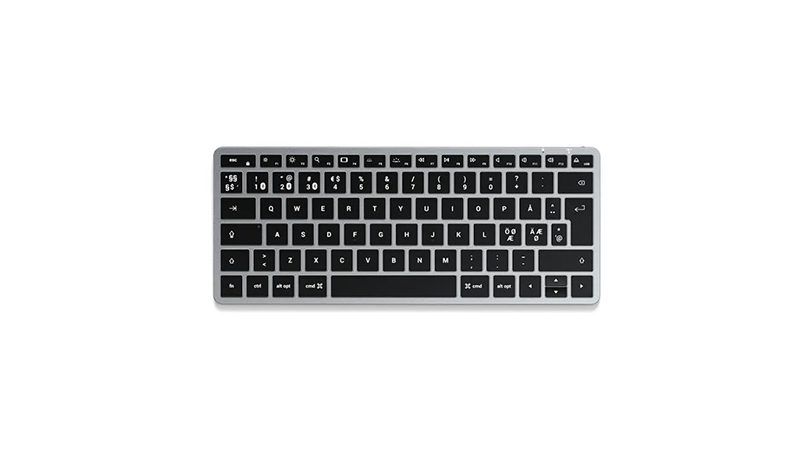
X1 is the compact option in Satechi’s classic X series and is a good fit if you want a traditional low-profile keyboard without a numeric keypad. Its small footprint leaves plenty of room for your mouse and makes the keyboard easy to place, even on smaller desks.
It connects via Bluetooth and can be used with multiple devices, making it easy to switch between a Mac and an iPad, for example. The built-in battery charges via USB-C, and backlit keys make it easier to work in darker environments.
Strengths
- Compact format
- Wireless Bluetooth connection
- Backlit keys
- Support for multiple devices
- Rechargeable battery
Keep in mind
- No numeric keypad
- Older design than the newer EX series
Satechi X3 — the same idea, full size
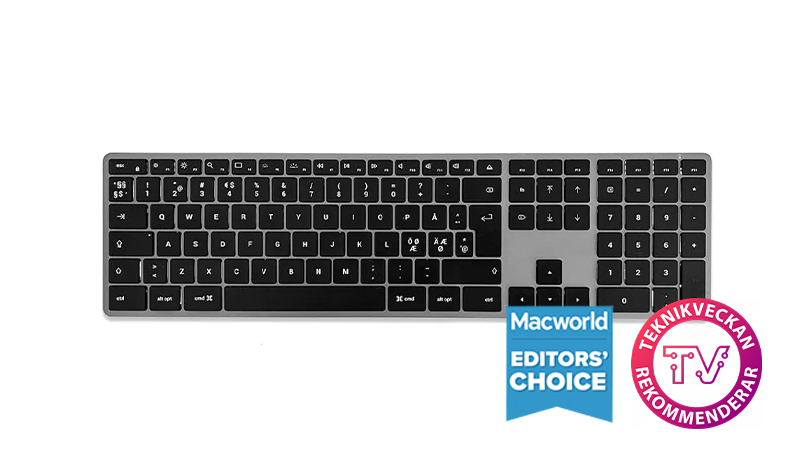
X3 builds on the same basic idea as X1, but gives you a much larger work surface. It includes both navigation keys and a separate numeric keypad, making it better suited to spreadsheets, finance, and other tasks where you enter a lot of numbers.
Like X1, X3 uses Bluetooth and has a built-in rechargeable battery. This is primarily a keyboard for those who like Satechi’s classic aluminum design and want a traditional low-profile keyboard with plenty of space for both text and numbers.
Strengths
- Full-size layout with numeric keypad
- Wireless Bluetooth connection
- Slim design
- Backlit keys
- Rechargeable battery
Keep in mind
- Takes up more space than X1
- Older design than the newer EX series
Satechi EX1 Slim — the modern compact choice
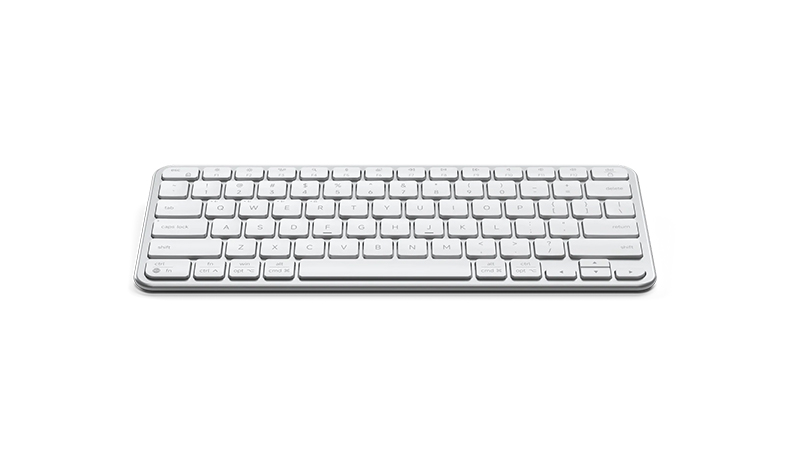
EX1 Slim is one of the most interesting options if you want a modern keyboard that works with multiple devices. Its compact format leaves out the numeric keypad and frees up a lot of desk space, while the keys are designed for a quiet and comfortable typing experience.
It offers Bluetooth 5.3 with support for three paired devices, plus a 2.4 GHz connection via the included USB-C receiver. A switch also lets the keyboard move between Mac and Windows mode. EX1 is available with Nordic and US layout.
Strengths
- Compact and easy to place
- Up to three devices via Bluetooth
- 2.4 GHz USB-C receiver included
- Mac and Windows mode
- Nordic or US layout
Keep in mind
- No numeric keypad
- No mechanical key feel
Satechi EX3 Slim — EX1 for those who want it all
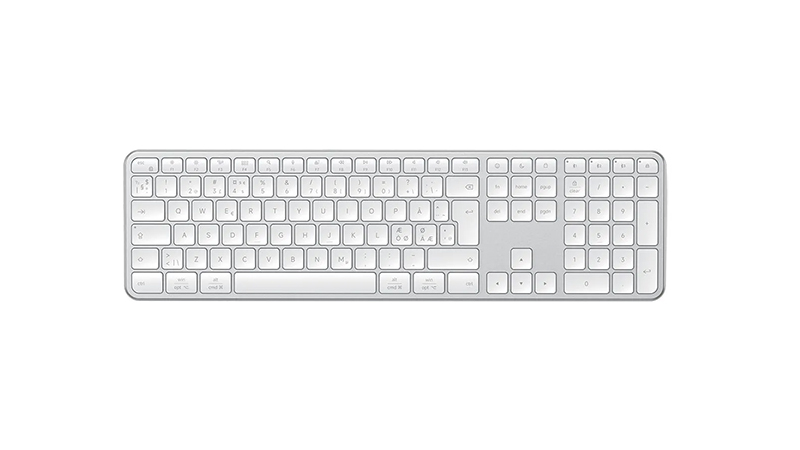
EX3 builds on the same idea as EX1, but uses a full-size layout with a separate numeric keypad. That makes it a strong option for a home office or any workspace where the keyboard can take up a little more room.
Like EX1, it is built to work in environments where multiple devices are used. You get a modern low-profile keyboard, wireless connectivity, and the ability to work with both Mac and Windows. EX3 is also available with Nordic and US layout, so you can choose the key placement you prefer.
Strengths
- Full-size layout with numeric keypad
- Wireless and built for multiple devices
- Quiet low-profile keys
- Mac and Windows support
- Nordic or US layout
Keep in mind
- Requires more desk space than EX1
- Anyone who wants a mechanical feel should look at SM3
Satechi SM1 — compact with a mechanical feel
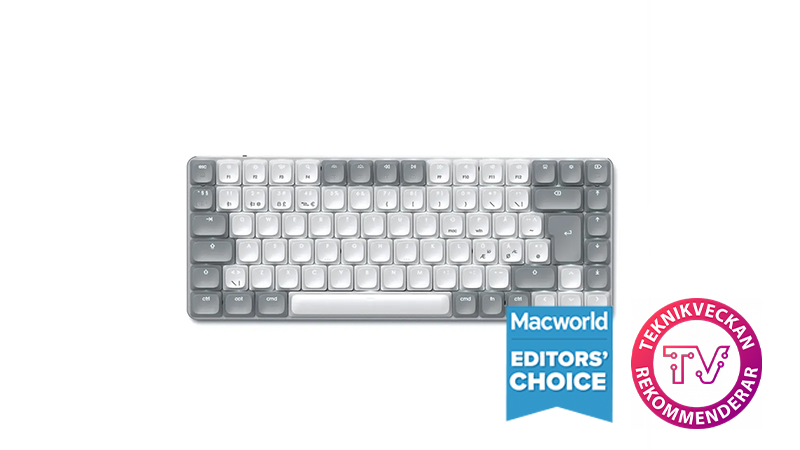
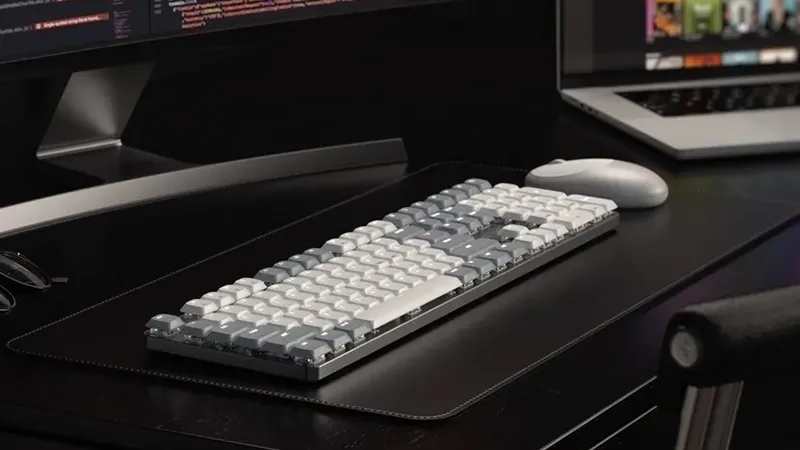
If you want more feedback from the keys, the SM series becomes much more interesting. SM1 combines a compact format with low-profile mechanical brown switches, giving you a more defined tactile feel without making the keyboard as tall as many traditional mechanical models.
It is also unusually flexible. SM1 can connect via Bluetooth, a 2.4 GHz receiver, or USB-C, and lets you work with up to four devices. White backlighting with 14 different patterns is also included. SM1 is available with Nordic and US layout.
Strengths
- Low-profile mechanical switches
- Compact format
- Bluetooth, 2.4 GHz, and USB-C
- Backlighting
- Nordic or US layout
Keep in mind
- More expensive than Satechi’s standard keyboards
- No numeric keypad
- Mechanical keys feel different from classic scissor-switch keys
Satechi SM3 — mechanical and full-size
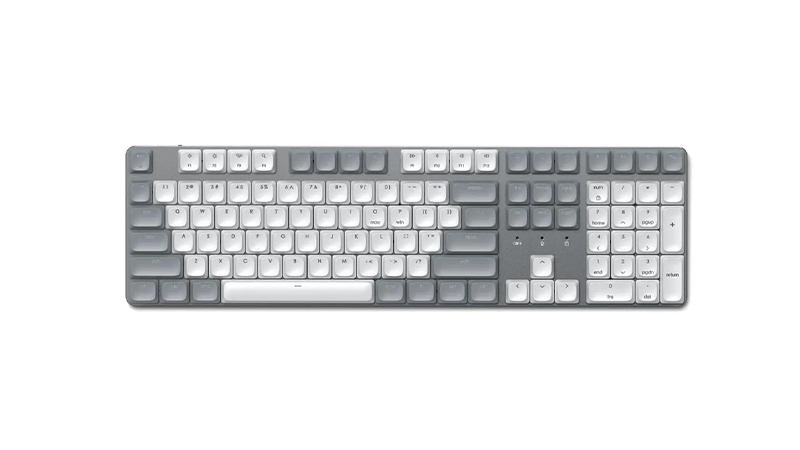
SM3 is the option for those who like SM1 but do not want to compromise on size. Here you get a full-size layout with 108 keys and a separate numeric keypad, along with the mechanical typing feel.
That makes SM3 especially interesting for people who type a lot but also work with spreadsheets, numbers, or other tasks where a numpad is hard to do without. Like its smaller sibling, the model offers several connection options and backlighting. SM3 is available with both Nordic and US layout.
Strengths
- Full-size mechanical layout
- Numeric keypad
- Multiple connection options
- Backlighting
- Nordic or US layout
Keep in mind
- Takes much more space than SM1
- One of the more expensive options
Satechi OntheGo — the keyboard that comes along
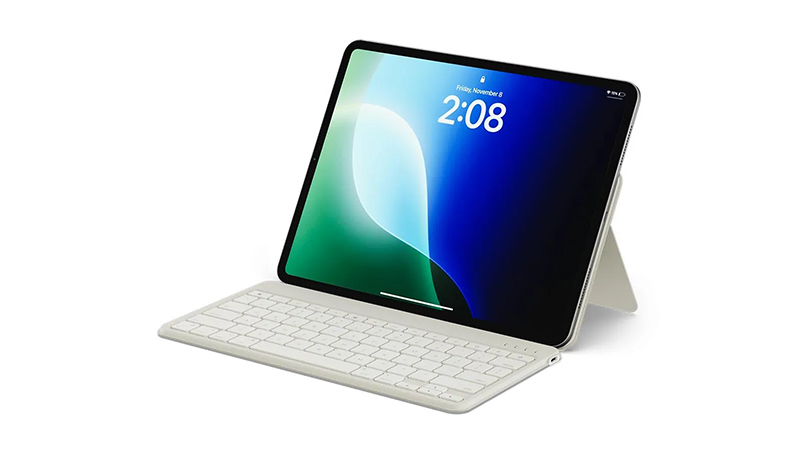
OntheGo stands apart from the rest of the range. The goal here is not mainly to stay on your desk permanently, but to create a better workspace when you are on the move. The keyboard folds up, and the protective case also works as an adjustable stand for a phone or tablet.
Via Bluetooth 5.1, up to three devices can be connected, and battery life is stated at up to three months. Scissor-switch keys also keep typing relatively quiet. That makes OntheGo an interesting option for anyone who often works with an iPad or other mobile devices and wants to leave the usual keyboard at home.
Strengths
- Foldable and easy to carry
- Built-in stand for phone and tablet
- Up to three Bluetooth devices
- Up to three months of battery life
Keep in mind
- Not the same desk feel as a traditional model
- The stand and foldable design make it heavier than a standard ultra-compact keyboard
Need a numeric keypad only sometimes?
There is also a smart middle ground for anyone who likes a compact keyboard but sometimes needs a numeric keypad. Satechi offers separate wireless numeric keypads that you can bring out when working with spreadsheets, finance, or larger amounts of numbers, then put away again. That way, you can choose a smaller keyboard such as X1 or EX1 and keep more open desk space in everyday use.
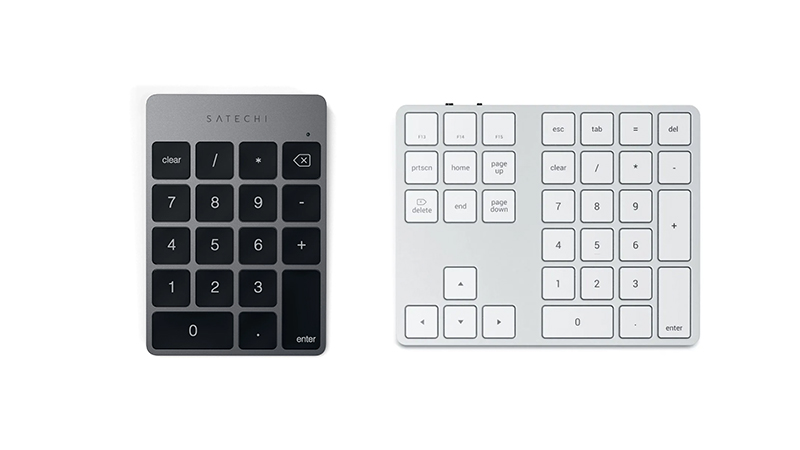
There are two versions, depending on how much you need. The simpler model focuses mainly on the numeric keypad and is a good fit if numbers are what you are missing most. The larger version adds arrow keys and extra function keys, making it closer to the right-hand side of a full-size keyboard. A handy option if you want to switch between a truly compact desk setup and a more complete workspace as needed.
Strengths
- Gives a compact keyboard a numeric keypad when needed
- Can be put away easily when not in use
- Frees up more mouse space in everyday use
- Two versions depending on how many extra keys you need
Keep in mind
- Another device to keep charged
- Takes more space than an integrated numeric keypad when in use
Which Satechi keyboard is right for you?
The great thing about Satechi’s range is that the models really serve quite different roles. If you want a classic wireless keyboard, X1 is the compact option and X3 is the one for those who need a numeric keypad. If you prefer cable, W1, W3 and LX3 are simpler options for a permanent workspace.
For a more modern wireless desk setup, EX1 is a strong choice if you prefer a compact format, and EX3 if a numpad is essential. If you want the more defined response of mechanical keys instead, SM1 and SM3 follow the same compact-versus-full-size split.
OntheGo is the specialist in the range and the obvious one to look at if the keyboard often needs to travel with a tablet or computer.
So start with three simple questions: compact or full-size, wireless or cable, and scissor-switch or mechanical switches. Once you have answered those, it becomes much easier to find the right Satechi keyboard.
Find all Satechi keyboards here.
Frequently asked questions about Satechi keyboards
Which Satechi keyboard is best for Mac?
It depends mainly on how you work. X1 and X3 are classic wireless options, while EX1 and EX3 are better if you want more modern connection options and the ability to switch between multiple devices. The SM series is the choice for those who prefer mechanical keys.
Should I choose a compact or full-size keyboard?
A compact keyboard such as X1, EX1 or SM1 frees up more mouse space and works well on smaller desks. If you often work with numbers, spreadsheets, or finance, a full-size model such as X3, EX3 or SM3 is often more comfortable thanks to the numeric keypad.
What is the difference between EX1 and EX3?
The basic idea is the same, but size sets them apart. EX1 is compact and does not have a separate numeric keypad, while EX3 uses a full-size layout with a numpad. EX1 is therefore a good fit when desk space matters, while EX3 is better for heavier office work and data entry.
What is the difference between SM1 and SM3?
SM1 and SM3 are Satechi’s low-profile mechanical options. SM1 uses a more compact format without a numeric keypad, while SM3 is full-size and has a separate numpad. Both suit anyone who wants a more tactile response than standard low-profile scissor-switch keys provide.
Are Satechi keyboards available with a Nordic layout?
Yes, several models are sold with a Nordic layout adapted for Swedish, Norwegian, Danish, and Finnish users, among others. Several are also available with a US layout. Always check which version you choose on the product page, since available layouts can differ between models and configurations.