Coming home after a photo shoot with the memory card full of images feels great. But before the pictures are ready, a few less exciting steps still remain. Files need to be transferred, sorted, edited, and backed up. And if you have a laptop with few ports, the work can quickly become unnecessarily complicated.
With a well-planned workflow, you can make the entire process much smoother. It is not about having as many accessories as possible, but about choosing the right connections, keeping your files organized, and creating a workspace that works both at home and on the go.
Start with smooth camera transfer
The first step is getting the images from the camera's memory card onto your computer. Many cameras use SD cards, while others use microSD or other memory card formats. If your computer does not have a suitable card slot, you will need an external card reader or a USB-C hub.
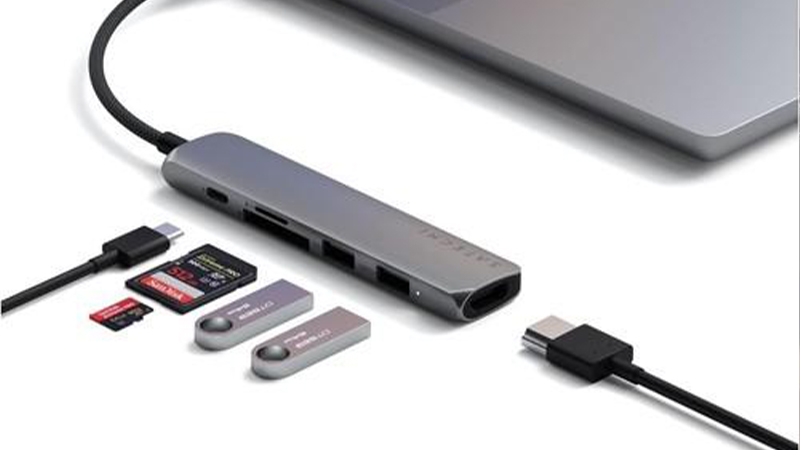
The Satechi USB-C Multi-Port Adapter 4K Gigabit Ethernet V2 has built-in card slots for both SD and microSD. It connects to your computer via USB-C and also combines several other ports in the same adapter. That makes it useful for photographers who switch between working at a desk and taking their computer to other places. Just check which card format your camera uses before choosing a solution.
Organize your images right away
Once the files have been transferred, it is a good idea to create a clear folder structure before editing begins. A simple setup is to sort by year, date, and shoot. That makes it easier to find the right material even months later.
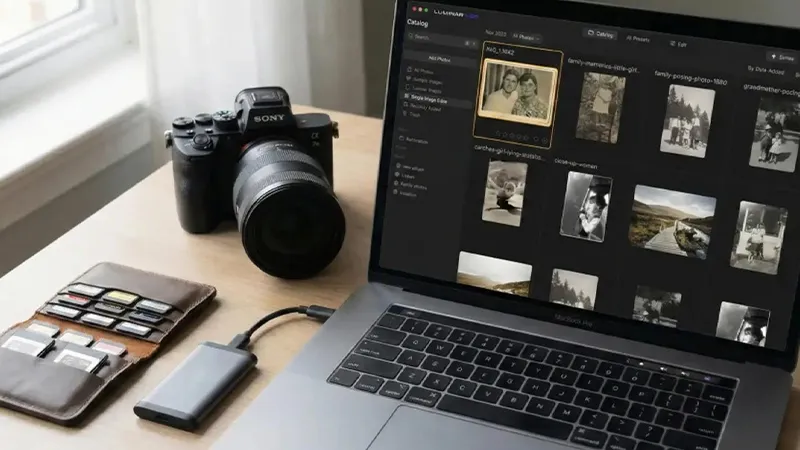
If you work with RAW files, it is especially valuable to keep the originals separate from exported JPEG or HEIF files. Feel free to let your editing software handle catalogs and metadata, but make sure you know where the original files are actually stored. Avoid deleting the memory card before you have checked that the transfer was successful and that the images have been backed up.
Give editing more room on screen
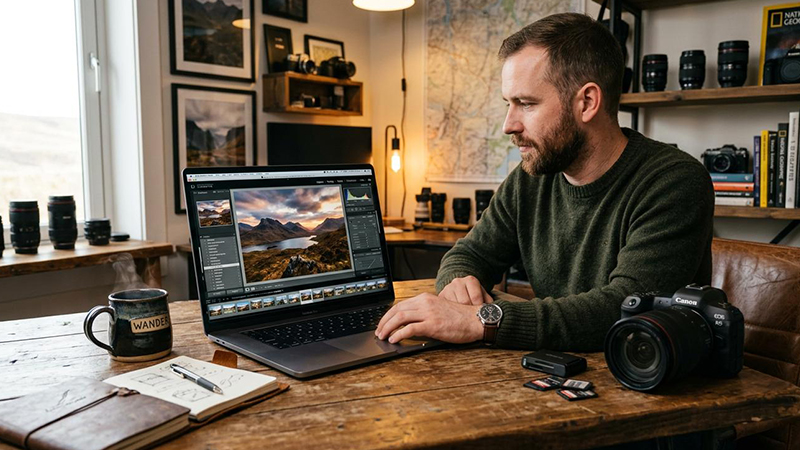
It works perfectly well to edit images on a laptop, but a larger external screen can make the work more comfortable. You get more space for the image, tools, histogram, and image library. It is especially useful when comparing multiple images or making detailed adjustments.
The Satechi USB-C Multi-Port Adapter V2 has an HDMI output with support for up to 4K at 60 Hz. With a compatible computer and display, you can therefore connect a larger workspace through the same adapter used for memory cards and other accessories. For color-critical work, it is also important to use a suitable and properly calibrated display. An HDMI connection does not, by itself, guarantee accurate color reproduction.
Let external storage take the load off your computer
High-resolution photos and video clips quickly take up a lot of space. If your computer's internal storage is starting to fill up, an external SSD can be a practical addition. It can be used for active projects, archives, or a separate backup, depending on how you want to organize your work.
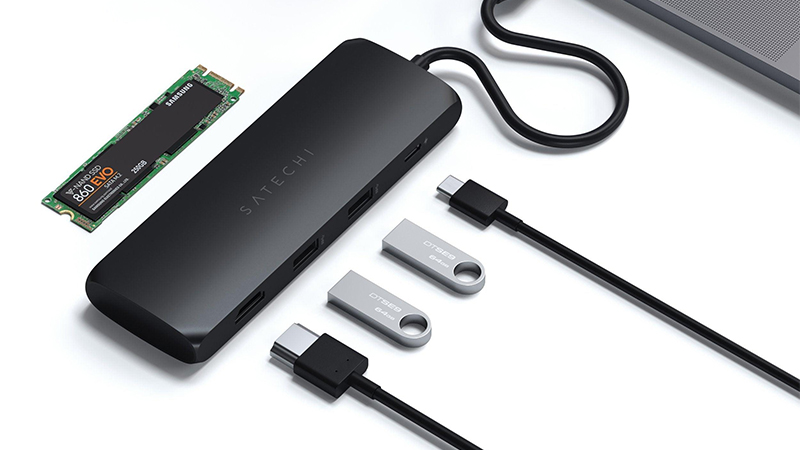
The Satechi USB-C Hybrid Multiport Adapter combines several ports with a built-in slot for a compatible SSD. It can be an interesting solution for anyone who wants to combine storage and connections in one accessory. Keep in mind, however, that external storage does not automatically mean backup. Important images should be stored in at least two separate places, and preferably also in a third location away from home.
Build a workflow that works anywhere
The best solution is often the one you actually use every time. Start by transferring the images, checking the files, and creating a backup. Then sort out the failed exposures before you begin editing. When the images are ready, you can export them in the right format and resolution for print, the web, or social media.
With a USB-C hub, you can bring several workflow steps together through a single connection. Satechi's different adapters make it possible to combine card reading, external displays, storage, and other accessories based on your needs. The result is fewer interruptions between shooting and finished images, and more time for creative work.
FAQ
1. Do I need a separate card reader for my MacBook?
It depends on which model you use and which memory card your camera has. If the right card slot is missing, a USB-C hub with a built-in card reader can be a convenient alternative.
2. Can I edit photos directly from an external SSD?
Yes, many editing programs can work with images on an external SSD. Performance depends, among other things, on the storage device's speed and the connection.
3. Will image quality be better with an external display?
Not automatically. A larger screen gives you more workspace, but color reproduction depends on the display's characteristics and calibration.
4. Should I save the photos on the computer or on an external drive?
Both options work. What matters is that you have enough storage space and a well-thought-out backup strategy.
5. When can I format the camera's memory card?
Only after you have checked that the images were transferred correctly and that a working backup exists. Then it is best to format the card in the camera.